Seamless Data Import & Connectivity
Strategic Intent
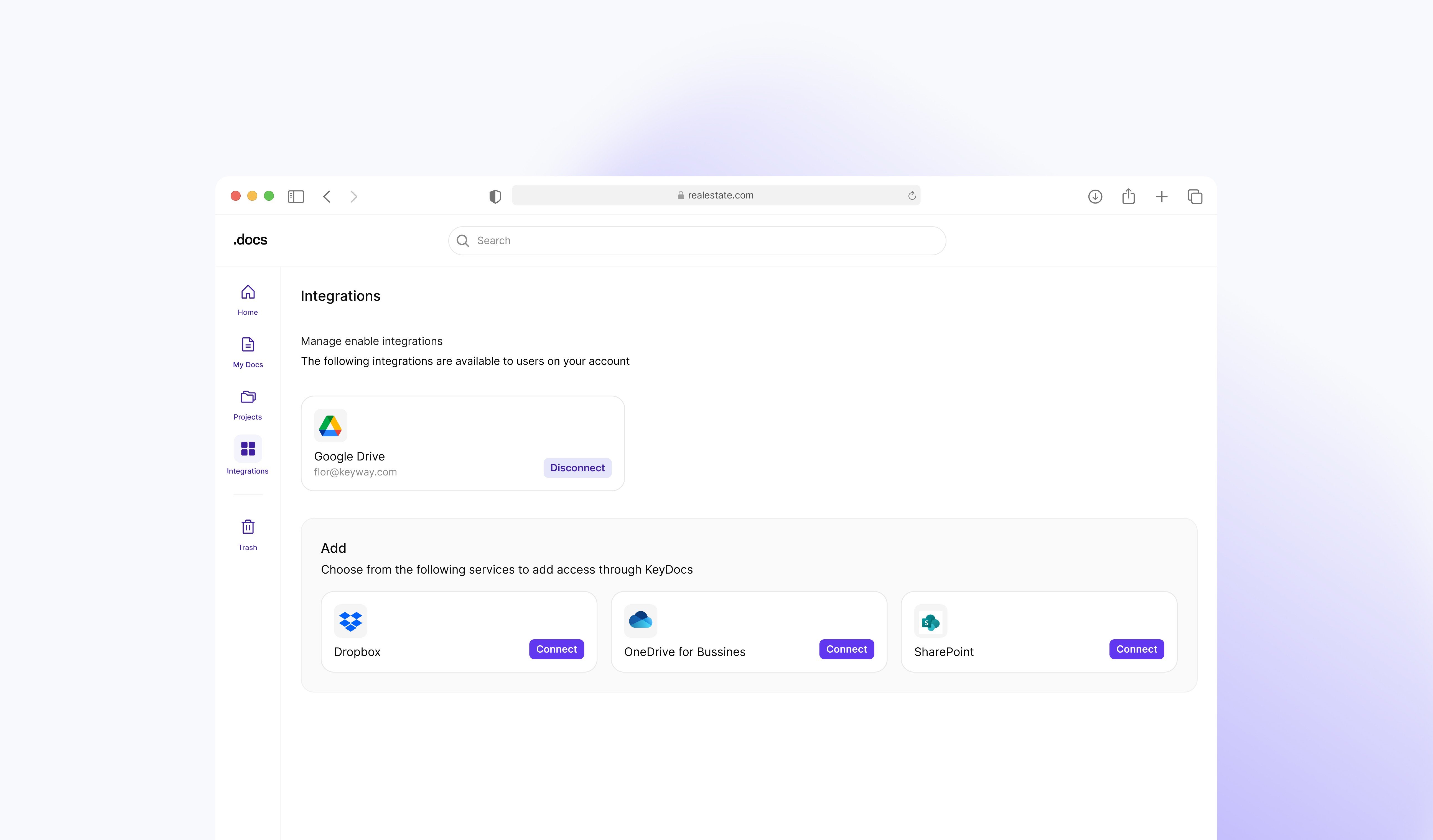
Allow users to seamlessly import documents from external cloud sources like Google Drive, Dropbox, OneDrive, while maintaining full control to connect or disconnect integrations as needed.
Context
Before Integrations, users had to download files from their storage platforms and re-upload them manually into Docs. This constant switching slowed down work and interrupted analysis flows.
Understanding the Need
User feedback sessions and workflow reviews revealed a recurring pattern: analysts constantly jumped between platforms to gather documents. This friction was amplified when working with multiple deals or when files were frequently updated by teams.
Pain Points
Repetitive download → upload loops disrupted workflow.
Significant time wasted switching between platforms.
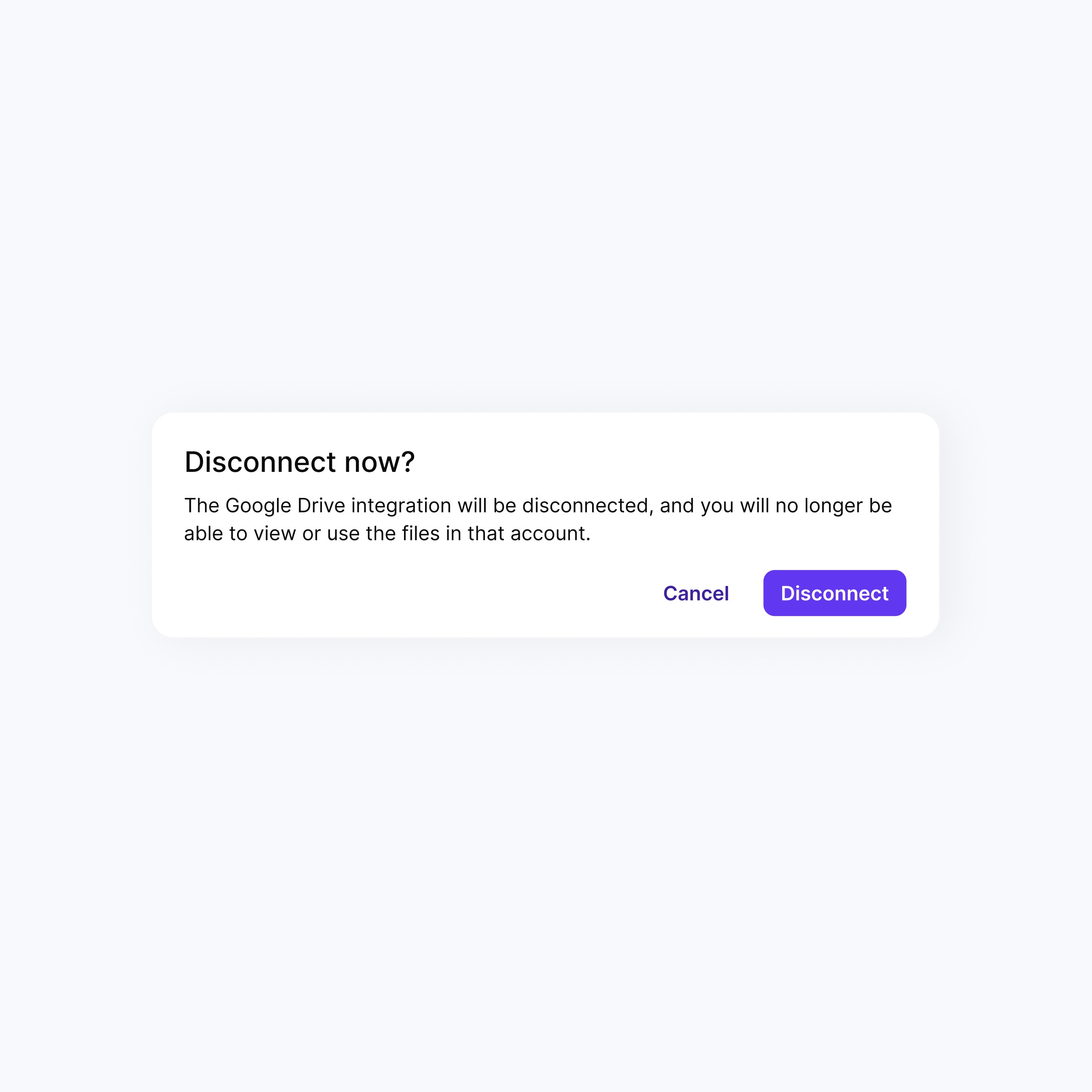
No way to manage active or inactive integrations.
Files were not always up-to-date when imported manually.
Approach
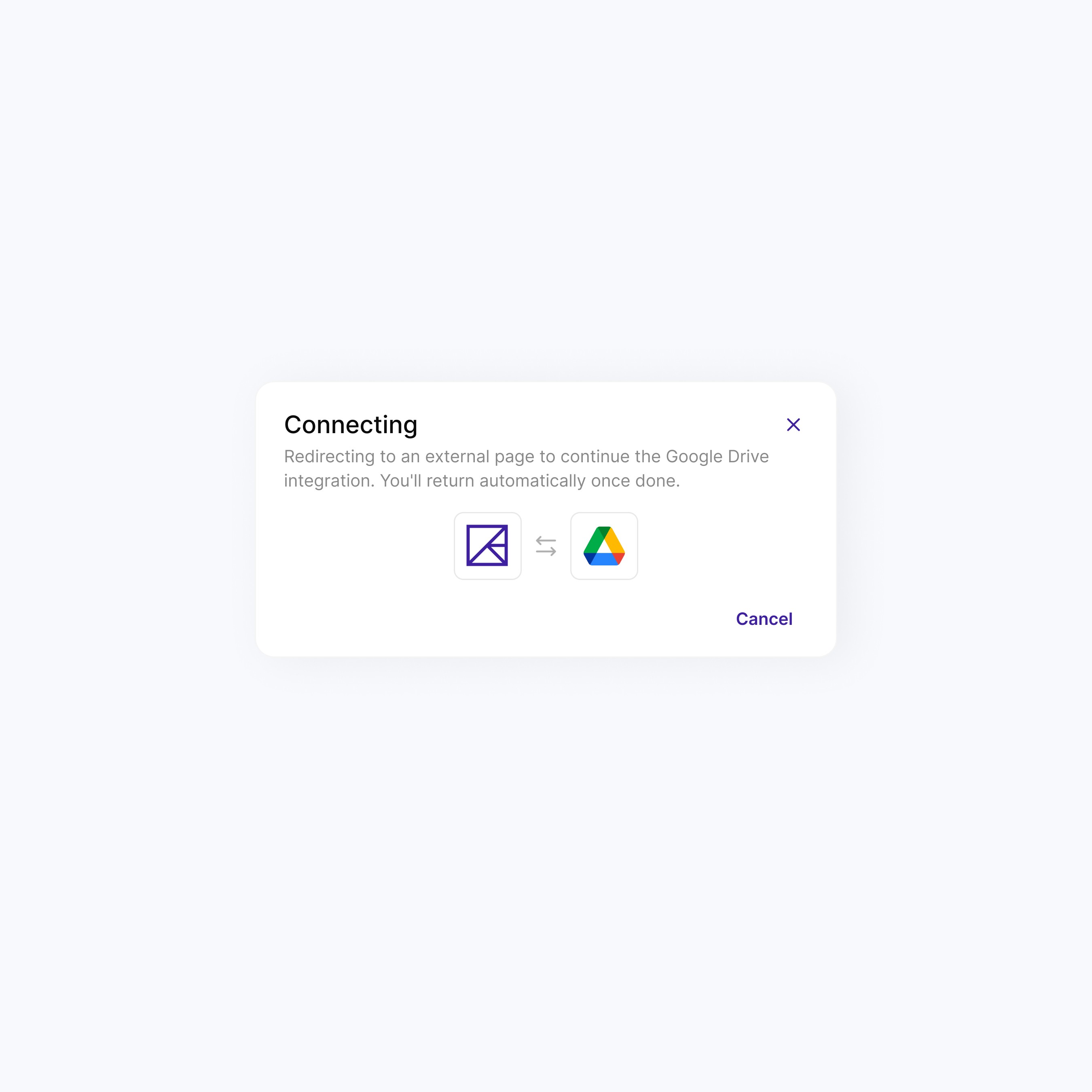
We introduced a connection layer that allows users to link their cloud storage accounts directly to Docs. The solution supports adding, removing, and managing integrations with flexibility, so users stay in control of where documents come from and how they enter their workflow.
Core Capabilities
Connect & Disconnect Sources: Add or remove Google Drive, Dropbox, OneDrive, and more.
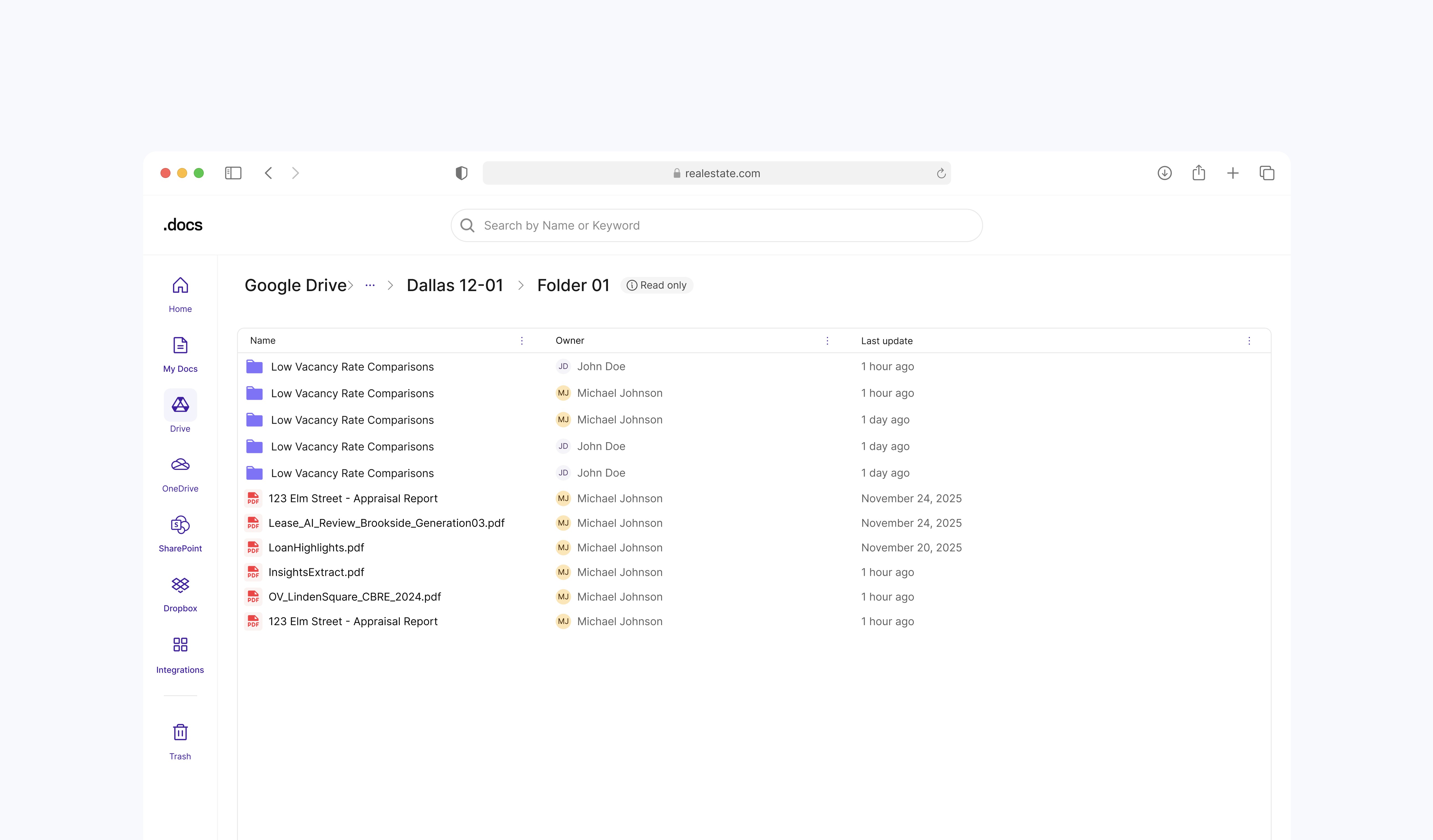
One-Click Import: Bring documents into Docs without leaving the platform.
Up-to-Date Retrieval: Ensure the latest version of files is always imported.
Unified Access Point: All cloud connections accessible from a single panel.
Seamless Workflow: No disruption or platform switching during document handling.
Outcome
Integrations streamlined document intake by eliminating unnecessary steps, giving users a frictionless way to retrieve files and complete workflows entirely within Docs, reducing context switching and improving focus.